Restaurant Floor Plan Software, Built Into One AI Platform
Design your dining room the way it really looks — indoor rooms, patios, the bar, VIP sections — with a drag-to-position editor your hosts learn in minutes. Because the floor plan lives in the same Aedan Rose platform that runs your reservations, VIP section bookings, and online orders, the layout you build is the layout your whole team works from. No second app, no import project, no export at the end of the night.
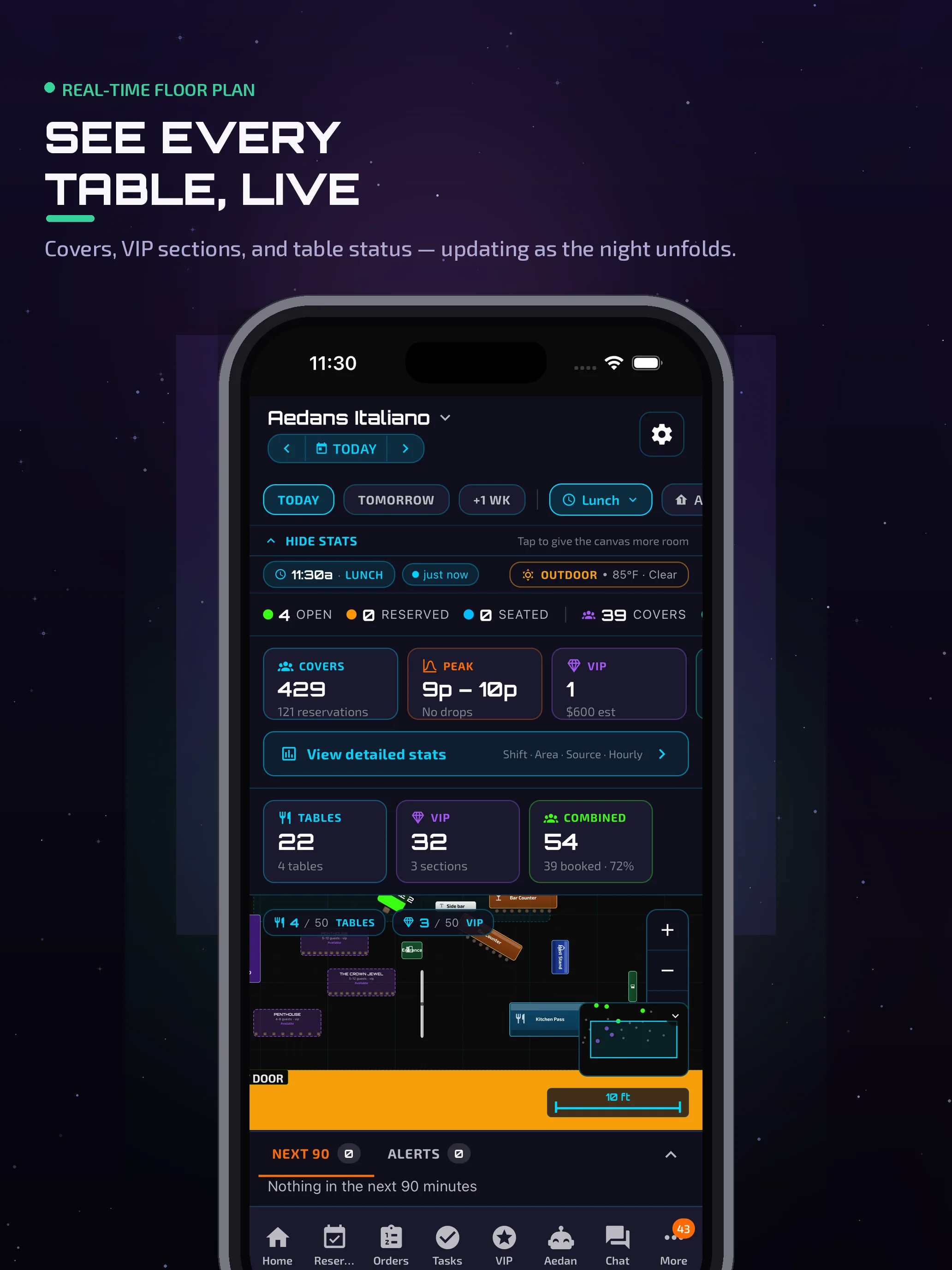
Drag-to-position
Place round, square, rectangular, banquette and bar tables exactly where they sit — with capacity and rotation.
Indoor + outdoor
Define multiple areas per venue — dining room, patio, bar, private room — each with its own tables.
VIP sections
Mark premium sections and take VIP section bookings with deposits — on every plan, free tier included.
Works on any screen
Edit and view the floor plan on the host-stand iPad, a phone, or the full web dashboard.
Build your dining room in minutes — no training required
Start from scratch or a preset layout, then drop tables anywhere with drag-to-position. The editor remembers each table's location, capacity, and rotation, and lets you split the venue into as many areas as you need — dining room, patio, bar, private room. Add zones and objects so the layout matches the real space your team walks every shift.
- Round, square, rectangular, banquette and bar tables
- Multiple indoor and outdoor areas per venue
- Lives in the same admin dashboard — nothing new to install
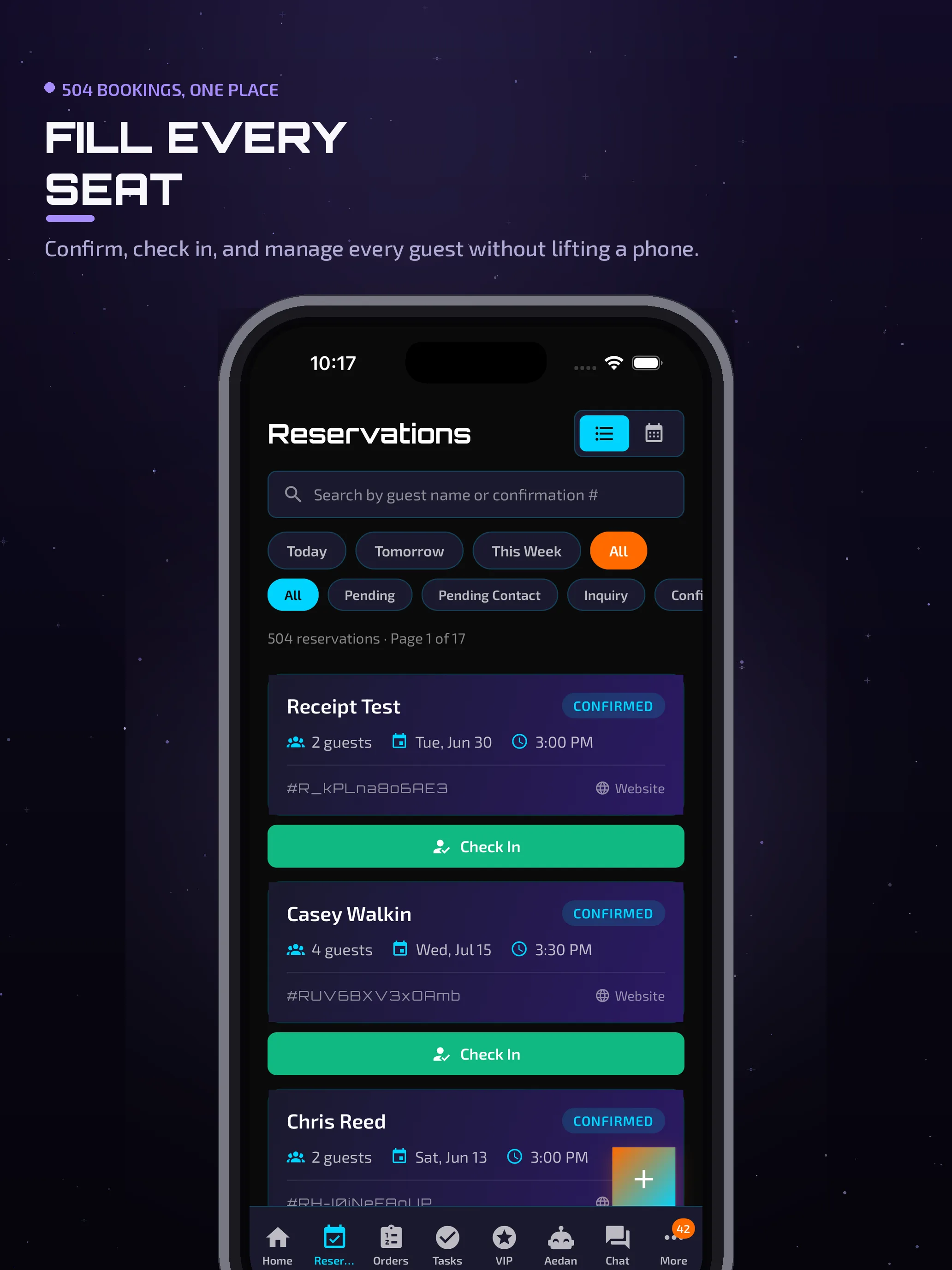
One layout, shared with the rest of your operation
The floor plan isn't a standalone diagram — it's the table map your reservations and VIP section bookings run on. Your hosts see the day's bookings against the same layout they designed, so table assignments and open seats are obvious at a glance. If you already use Aedan Rose's AI reservation system, the floor plan is the layer that turns those bookings into seated guests.
- Reservations and the floor plan share one table map
- Reservations included on Full House ($299/mo) and up
- No double-entry between a booking tool and a seating tool
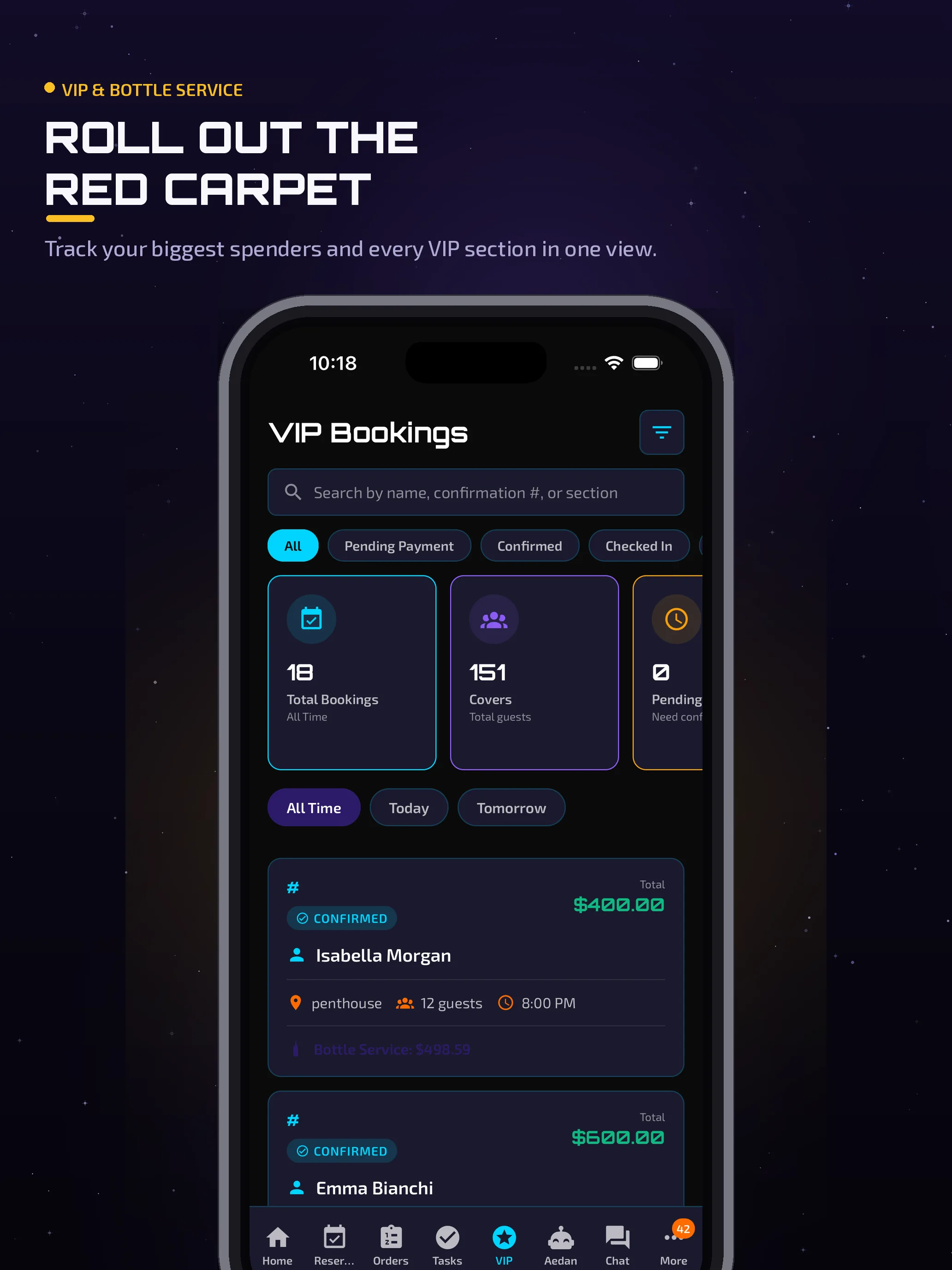
Turn your best tables into bookable, deposit-backed sections
Mark a booth, a patio corner, or a whole private room as a VIP section and take bookings against it — with deposits — right from the floor plan. It's the same premium-seating layer that runs across the platform, and it's available on every plan, including the free tier, so even a brand-new venue can protect and monetize its best seats.
- Designate any area or table as a VIP section
- Collect deposits on VIP section bookings via Stripe
- Included on all plans — free tier and up
The same floor plan, on every screen your team uses
Design and manage on the host-stand iPad. Check table status and bookings from a phone on the floor. Owners keep an eye on the room from the web dashboard at home. It's one platform, everywhere your team works.
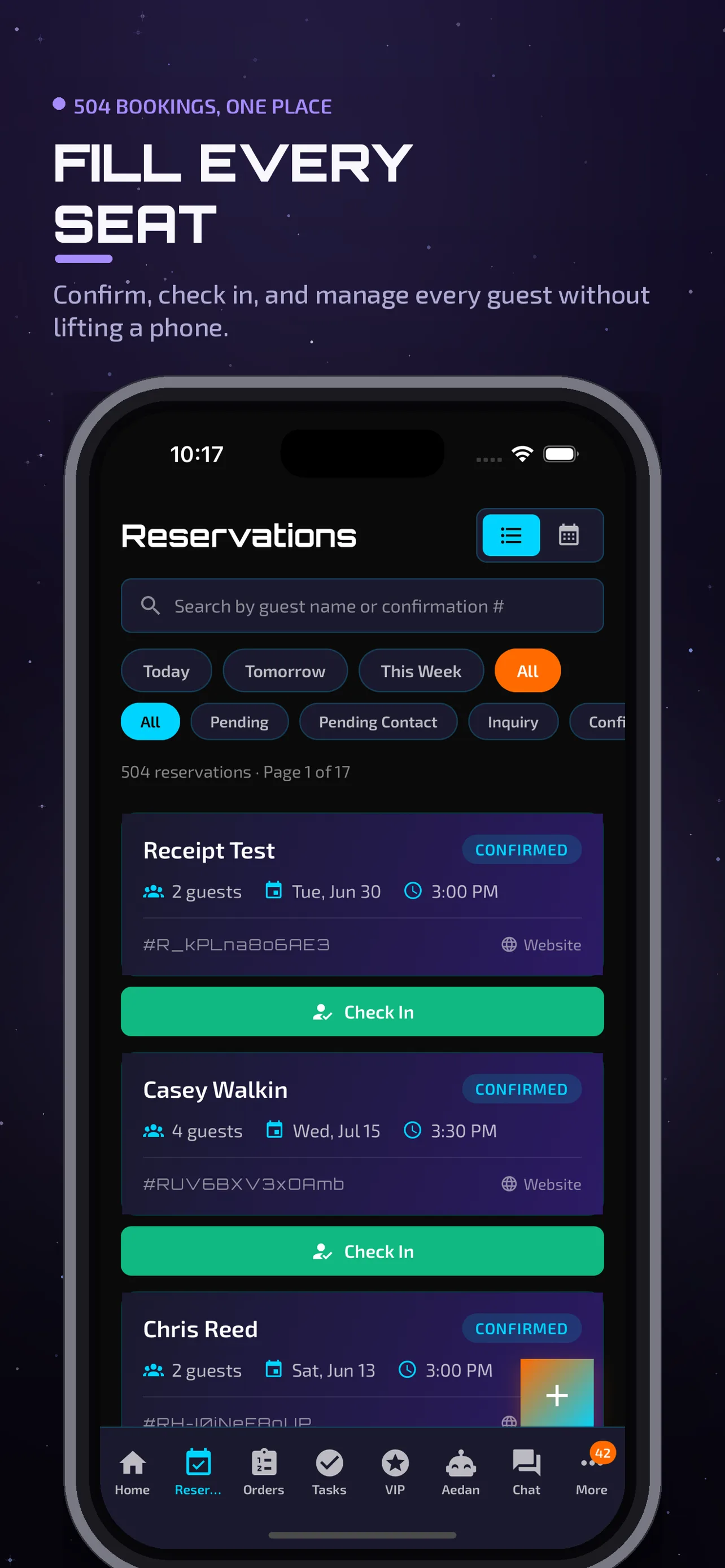
Floor plan is one surface of the whole platform
Reservations, VIP section bookings, online ordering, CRM and loyalty, scheduling, and analytics all run on the same Aedan Rose account — so the layout you build here connects to everything your restaurant already does.
Full House and up include the floor plan
The visual floor-plan editor and reservations are included on Full House ($299/mo) and up, while VIP section bookings are available on every plan, including the free tier. Higher plans add revenue tools, the Money Dashboard, inventory, and the AI Copilot. Model usage is included — pricing is per location, with no long-term contract.
- Visual floor plan + reservations
- VIP section bookings with deposits
- Revenue analytics + team chat
- Loyalty, CRM & win-back
- Everything in Online Ordering
- Money Dashboard + engagement analytics
- Inventory (recipes, imports, insights)
- Geofenced timeclock + real-time monitoring
- Everything in Full House
- The Aedan Rose Copilot (agentic AI)
- Peak-time & top-performance insights
- Dedicated account manager + onboarding
Just getting started? Start free — online ordering, VIP section bookings and Stripe payments are included on the free tier; the visual floor plan and reservations are included on Full House ($299/mo) and up, and employee scheduling from the Online Ordering plan ($79/mo). Payroll is available as an add-on on any plan. See full pricing.
Stop running your dining room on a whiteboard
Build your floor plan once, take reservations and VIP bookings against it, and run the whole operation from one AI platform. Start free — no credit card, no separate seating tool to buy.
Last updated: July 24, 2026 · Aedan Rose